I am starting a series. Over the coming weeks I want to work out, properly and with numbers, what local language models can actually do on hardware you can buy — not what a leaderboard says, and not what a vendor claims. Each piece will stand on its own, and each will end with something measured rather than something asserted.
This first piece contains no measurements at all. It is the vocabulary. Every article that follows leans on the same handful of words — tokens, context, KV cache, temperature, seed, quantisation — and most explanations of those either stop at the analogy or jump straight into the maths. So before I test anything, here is the ground floor: enough detail to make sensible decisions, not enough to write a kernel.
What the model actually does
A language model does exactly one thing: given a sequence of tokens, it estimates how likely every possible next token is. That is the whole trick. Everything else — chat, code, summaries — is that one operation repeated.
To write a sentence, the model produces one token, appends it to the sequence, and runs again with the longer sequence. Then again. A 1,000-token answer is a thousand full passes through the network, each one slightly more expensive than the last because the sequence keeps growing. This is why generation feels steady rather than instant, and why a long answer costs more than a short one in a way that is not quite linear.
The word for this is autoregressive: the output feeds back into the input. It also explains something people find surprising — the model has no plan. It has never “decided” how the sentence ends. It commits one token at a time, and the shape of the answer emerges from that.
Tokens are not words
Models do not see letters or words. Text is chopped into tokens — fragments that the tokeniser learned from its training data. Common words are usually one token. Rare words split. Whitespace and punctuation carry their own weight.
The practical rule for English is roughly 0.75 words per token, or about four characters. German is worse, because compound words fragment: Kontextfenster may cost three tokens where “context window” costs two. If you are budgeting context for German text, add a good 20–30 % over the English estimate. This matters the moment you try to fit a document into a fixed window.
The context window is a hard wall
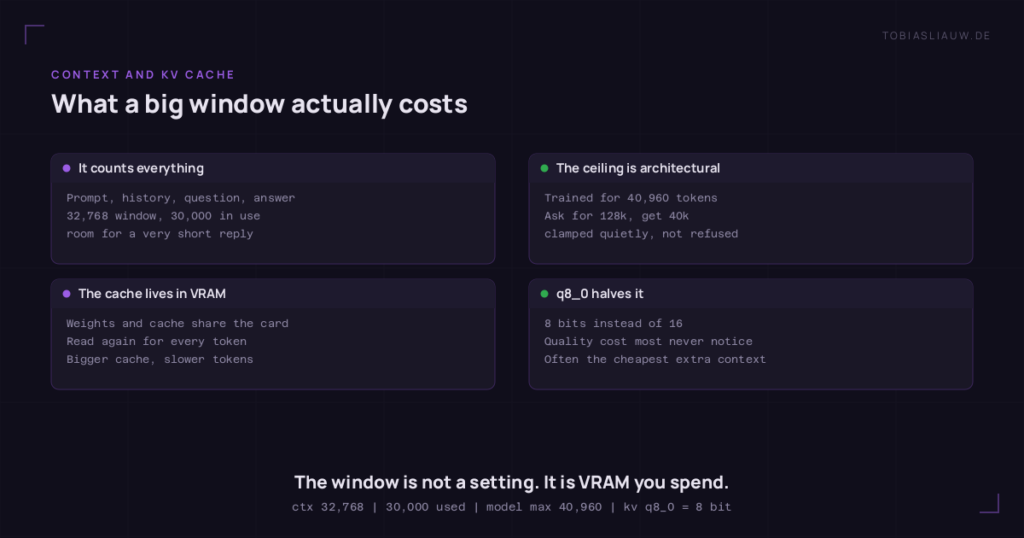
The context window is how many tokens the model can consider at once — and it counts everything: system prompt, conversation history, your question, and the answer being written. A 32,768-token window filled with 30,000 tokens of history leaves room for a very short reply.
Two things about this wall surprise people. First, it is architectural — a model trained for 40,960 tokens cannot be asked for more, and a runtime will usually clamp your request down to the model’s ceiling rather than refuse it. Ask for 128k from a 40k model and you may simply get 40k, quietly. Second, filling the window is not free: every token the model writes has to look back over everything already in it.
The KV cache, and why it exists
Here is the problem the cache solves. On each pass, attention compares the current token against every previous token. Done naively, generating token 1,000 would mean recomputing the representation of tokens 1 through 999 — again — for the thousandth time.
So the runtime stores them. For every token processed, two vectors — the key and the value — are kept in VRAM. That store is the KV cache, and on the next pass the model reuses it instead of recomputing. Without it, long conversations would be unusable.
Two consequences follow, and they are the ones that bite in practice:
- The cache occupies VRAM alongside the model weights. Your card has to hold both. A model that fits comfortably with a small context can overflow with a large one.
- The cache has to be read for every generated token. The bigger it is, the more memory traffic each token costs. This is why generation slows down as a conversation grows, even when nothing has run out of memory.
You can shrink the cache by storing those vectors at lower precision. q8_0 keeps them at 8 bits instead of 16, roughly halving the cache for a quality cost most people never notice. On a card that is nearly full, that setting can be the difference between working and not.
Temperature: zero does not mean “off”
The model hands you a probability for every possible next token. Temperature decides how that list gets used.
- Temperature 0 — always take the most likely token. No dice are rolled. Same input, same output.
- Temperature around 0.7 — the usual default. Likely tokens stay likely, but unlikely ones get a real chance. This is what makes text feel natural rather than mechanical.
- Temperature above 1 — the distribution flattens. Creative, then strange, then incoherent.
The common mistake is reading temperature 0 as “disable randomness”. It is more precise to say it removes the choice: the model still ranks every token, it simply always takes the top one. That has a cost people underrate — greedy decoding can lock onto a repetitive groove and never escape it, because the token that would break the loop is never quite the most likely one.
For measurement, temperature 0 is the right default: you want to measure the model, not the dice. For writing, it is usually too rigid.
Seed: only meaningful when something is random
The seed initialises the random number generator that picks among candidate tokens. Same seed and same settings, same sampling decisions, same text.
Which leads to the point most guides skip: at temperature 0 the seed does nothing. There is no sampling to steer. If you are running a benchmark at temperature 0 and varying the seed, you are not testing variation in the model — you are testing whether the rest of your stack is deterministic, which is a different and also useful question.
Worth knowing too: identical settings do not guarantee identical text if the computation differs. Floating-point arithmetic is not associative, so a different execution path — different hardware, different batching, part of the model running somewhere else — can change a result even with the seed pinned. Reproducibility is a property of the whole setup, not of the seed alone.
Quantisation: the size-quality dial
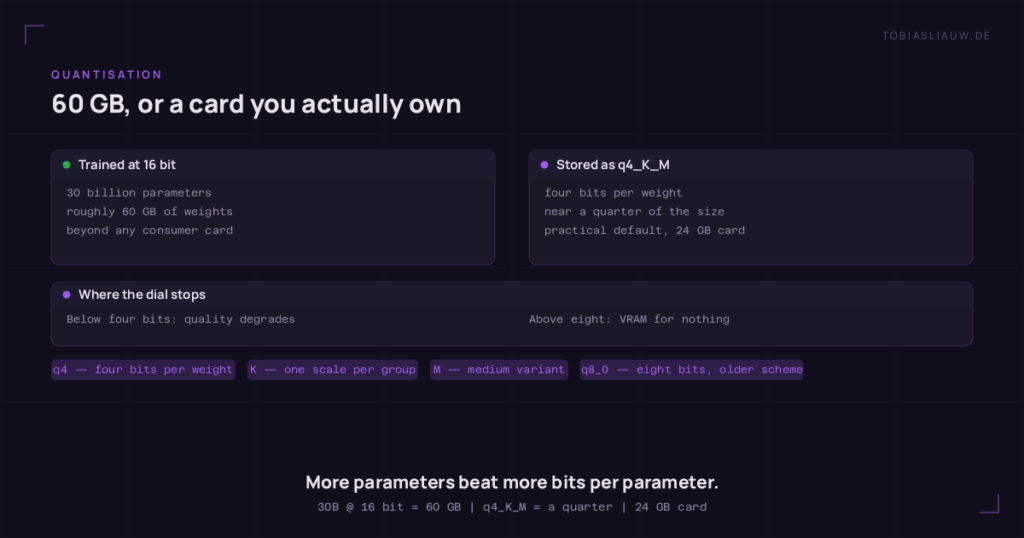
Models are trained at 16-bit precision. A 30-billion-parameter model at 16 bits is roughly 60 GB — beyond any consumer card. Quantisation stores the weights with fewer bits so they fit.
The labels look cryptic but decode simply. In q4_K_M: q4 is four bits per weight, K is the newer scheme that groups weights and stores a scaling factor per group instead of one for everything, and M is the medium variant — some layers are kept at higher precision because they matter more. q8_0 is eight bits with the older, simpler scheme.
Roughly: q4_K_M lands near a quarter of the original size and is the practical default for a 24 GB card. Below four bits, quality degrades noticeably. Above eight, you are usually paying VRAM for a difference you cannot measure.
The comparison that actually matters: a larger model quantised harder usually beats a smaller model at full precision. Fitting more parameters on the card is worth more than keeping each one precise.
Flash Attention
Standard attention builds a matrix comparing every token with every other token, writes it to memory, then reads it back. At 32,000 tokens that matrix is enormous, and the bottleneck is not the arithmetic — it is shuttling data to and from VRAM.
Flash Attention restructures the computation to work in tiles that stay in fast on-chip memory, so the full matrix is never written out. The result is mathematically the same, produced with far less memory traffic. It helps more the longer the context, and it costs nothing but a flag. Turn it on.
The knobs you actually set
| Setting | What it does | What people get wrong |
|---|---|---|
num_ctx | Context window for this request. Allocates the KV cache. | Setting it huge “just in case” reserves VRAM you may need for the model itself. |
num_predict | Maximum tokens to generate. | Too low silently truncates mid-sentence; the answer looks finished but is not. |
temperature | How boldly to sample. | Treated as a quality dial. It is a variety dial. |
seed | Fixes the sampling sequence. | Has no effect at temperature 0. |
keep_alive | How long the model stays in VRAM after a request. | Too short means paying the load time repeatedly; too long blocks the card. |
| KV cache type | Precision of the cache, e.g. q8_0. | Overlooked entirely — often the cheapest way to fit a bigger context. |
| Flash Attention | Memory-efficient attention. | Left off by default in some setups. |
What determines speed
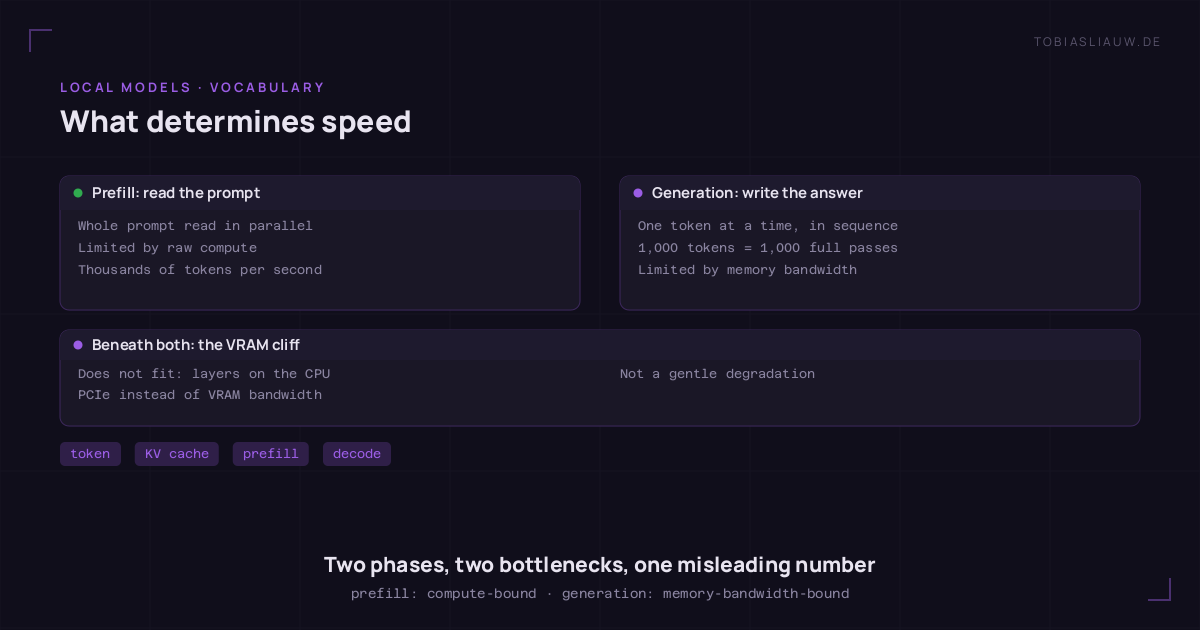
Two phases, two different bottlenecks, and conflating them causes most confusion about benchmarks.
Prefill is reading your prompt. The whole thing can be processed in parallel, so it is limited by raw compute and usually runs at thousands of tokens per second.
Generation is writing the answer, one token at a time, each depending on the last. Nothing can be parallelised across tokens, and every step reads the model weights and the KV cache out of VRAM. It is limited by memory bandwidth, not by compute — which is why two cards with similar teraflops but different memory speeds behave nothing alike, and why “tokens per second” without saying which phase is a meaningless number.
Above all of it sits one cliff: if the model does not fit in VRAM, the runtime places some layers in system RAM and runs them on the CPU. Those layers then move data across the PCIe bus at a fraction of VRAM bandwidth, and every token waits for them. This is not a gentle degradation. It is the single most important thing to check before blaming anything else.
Glossary
- Token — text fragment; ~0.75 words in English, fewer in German.
- Context window — maximum tokens in play, prompt and answer together.
- KV cache — stored key/value vectors for past tokens; lives in VRAM, grows with context.
- Autoregressive — each token is generated from all the previous ones.
- Prefill — processing the prompt; compute-bound, fast.
- Generation / decode — writing the answer; bandwidth-bound, slower.
- Temperature — how boldly to sample; 0 always takes the most likely token.
- Seed — fixes the random sequence; irrelevant at temperature 0.
- Quantisation — storing weights at reduced precision;
q4_K_Mis the usual compromise. - Flash Attention — memory-efficient attention; same result, less traffic.
- Offloading — running part of the model on the CPU because VRAM ran out; expensive.
- VRAM — memory on the graphics card; the binding constraint for local models.
None of this requires understanding transformers to use. But knowing which knob affects which bottleneck turns “the model is slow” into a question you can actually answer.
What this series will cover
The plan, in the order I intend to work through it:
- Prompt engineering — what actually changes an answer, what is folklore, and how to tell the two apart on your own machine.
- Agent engineering — what happens when a model gets tools, memory and several steps to work with, and where that stops being reliable.
- Prompt optimisation — turning a prompt that works into one that works consistently, measured rather than felt.
- Graph engineering — structuring knowledge so a model can traverse it instead of guessing at it. Planned for later in the series.
- A second brain that a model can use — how I run Obsidian as a knowledge base that both a human and an agent can read, and what that requires of the notes. Also later.
Alongside these run the measurements themselves: throughput, context behaviour, and how the same models hold up across different hardware. Those pieces will reference this glossary rather than repeat it.
If a later article contradicts something here, the later one wins and I will say so in both. That has already happened more than once in this project, and pretending otherwise would make the numbers worth less, not more.